

Office Moving in Little Rock: How to Relocate Without Wrecking Your Workweek
Move the desks. Not the deadlines.
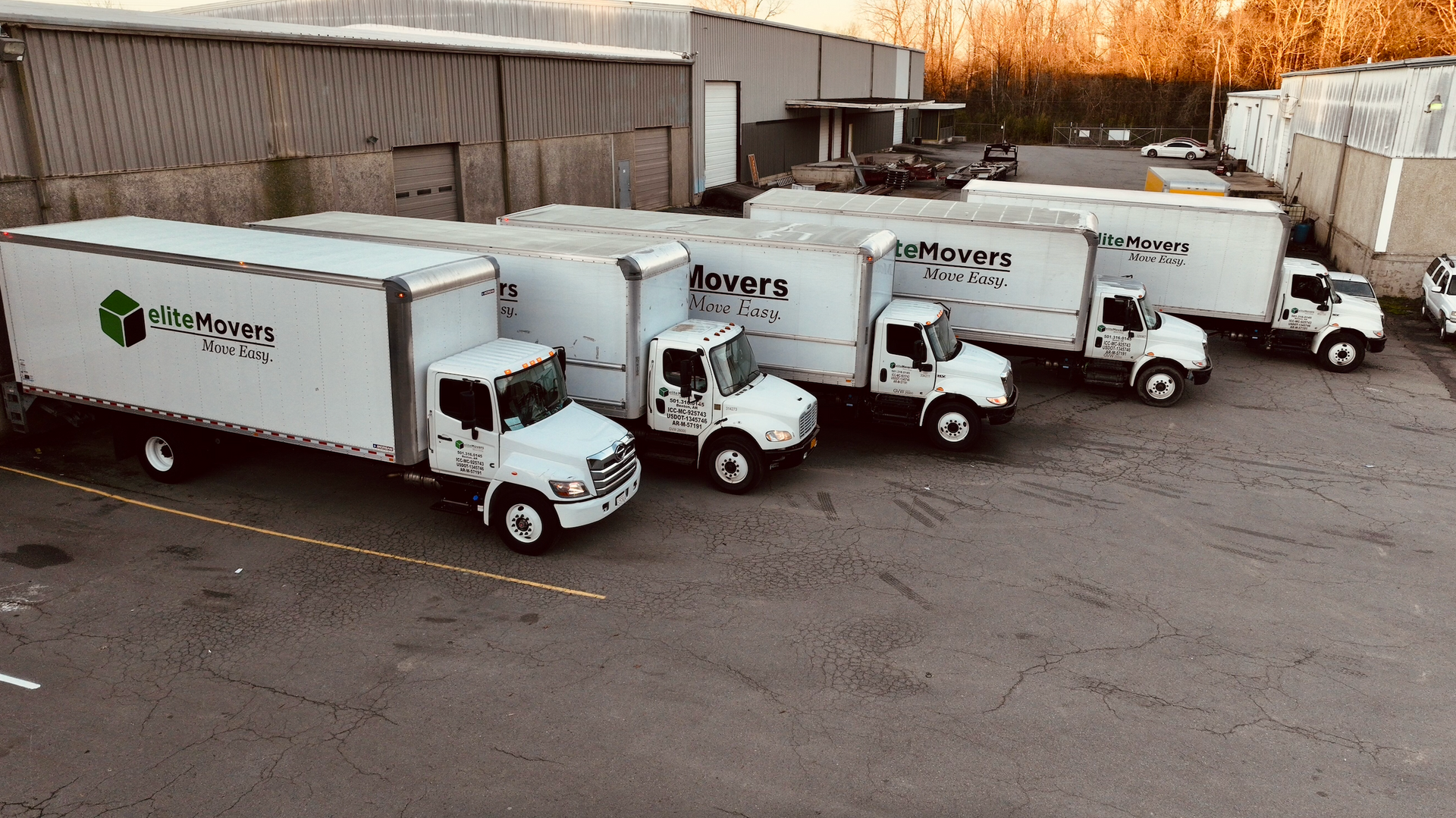
An office move is not just a move.
It is a business interruption wearing khakis.
At home, if your sofa ends up in the wrong room, annoying.
At work, if your desks, monitors, files, internet setup, and team workflow end up scattered like confetti, now you have a problem with invoices attached.
That is why office moving in Little Rock needs a plan.
Not a vague plan.
Not a “we’ll figure it out Friday afternoon” plan.
A real plan.
Because when a business moves, you are not just relocating furniture. You are moving workstations, equipment, files, schedules, customer expectations, employee routines, and probably one printer that everyone secretly hates but still needs.
If you are looking for office movers in Little Rock, the goal is simple:
Move the desks.
Not the deadlines.
If you are planning an office move in Little Rock, do not let moving day wreck your workweek.
Call Elite Movers for a free office moving estimate.
Get the crew, equipment, planning, and local moving experience to relocate your office without turning your business into a cardboard maze with invoices.
Move the desks.
Not the deadlines.
Key Takeaways
- Office moving requires more planning than a typical residential move because downtime can affect customers, employees, and revenue.
- Hiring office movers in Little Rock can help protect desks, chairs, files, equipment, and other business assets.
- A clear office relocation plan should include timelines, labels, access details, parking, utilities, and employee communication.
- Professional movers can help reduce disruption by moving efficiently and placing items where they belong.
- Business owners should assign one point person to manage communication with the moving company.
- Office equipment, computers, monitors, cords, and files should be packed and labeled carefully before moving day.
- Local movers understand Little Rock access issues, parking, office buildings, stairs, elevators, and loading challenges.
- A rushed office move can lead to lost time, damaged equipment, missing items, and frustrated employees.
- The best office moves are planned around business continuity, not just furniture transportation.
- Elite Movers can help businesses relocate with less stress and fewer moving-day surprises.
Why Office Moves Are Different From Home Moves
A home move is personal.
An office move is operational.
That means the stakes are different.
When you move your home, you are trying to get your belongings from one place to another safely.
When you move an office, you are trying to do that while keeping the business from grinding to a halt.
Office moves usually involve:
- Desks
- Office chairs
- Filing cabinets
- Computers
- Monitors
- Conference tables
- Reception furniture
- Supplies
- Documents
- Breakroom items
- Storage items
- Phones
- Printers
- Equipment
- Team schedules
- Client deadlines
And somehow, every office has one mystery cabinet nobody has opened since 2018.
What is in it?
Nobody knows.
But now it has to move.
That is why hiring professional office movers in Little Rock can make sense. You need a crew that understands this is not just about lifting furniture. It is about reducing disruption.
Start With the Real Goal: Less Downtime
The biggest goal of an office move is not just getting everything moved.
It is getting back to work quickly.
Downtime costs money.
Even a short delay can create problems:
- Missed calls
- Delayed projects
- Confused employees
- Frustrated customers
- Lost productivity
- Interrupted sales
- Disorganized files
- Equipment issues
A good office move starts by asking one question:
What needs to be working first?
That may be phones, computers, internet, client files, front desk operations, or employee workstations.
Every business is different.
- A law office has different moving priorities than a medical office.
- A marketing agency has different moving priorities than a warehouse office.
- A financial office has different moving priorities than a local service company.
The point is to identify what must be operational first.
Then build the move around that.
Not the other way around.
Assign One Person to Run the Move
Every office move needs one point person.
Not five.
One.
When everyone is in charge, nobody is in charge. That is how the conference table ends up in the storage room and the storage boxes end up in the conference room.
Pick one person to communicate with the moving company.
That person should know:
- Move date and timing
- Pickup address
- Delivery address
- Parking instructions
- Building access rules
- Elevator details
- Stair information
- What needs to move
- What stays behind
- Fragile or sensitive items
- Priority areas at the new office
- Who approves decisions on moving day
This does not mean one person does all the work.
It means one person keeps the move from turning into office jazz.
Improvisation is great for music.
Not for moving a business.
Build a Simple Office Moving Timeline
Office moves get messy when everything happens at the last minute.
A simple timeline helps.
Here is a practical starting point:
4 to 6 Weeks Before the Move
Choose the moving date
Get a moving estimate
Confirm your new office access
Review lease or building rules
Start sorting what needs to move
Decide what furniture stays, sells, or gets donated
Notify key team members
2 to 3 Weeks Before the Move
Order packing supplies
Create a labeling system
Assign employee packing responsibilities
Confirm internet, phone, and utility timing
Identify fragile or high-value items
Create a basic floor plan for the new office
1 Week Before the Move
Pack non-essential items
Label desks, chairs, boxes, and equipment
Confirm moving details with the moving company
Share moving-day instructions with employees
Make sure building access and parking are handled
Moving Day
Keep one point person available
Walk through the office with movers
Identify priority items
Keep employees clear of moving areas
Confirm placement at the new office
After the Move
Check priority workstations
Confirm equipment arrived safely
Identify missing or misplaced items
Set up essential departments first
Update customers or vendors if needed
This does not have to be complicated.
It just has to exist.
A timeline is like a road trip map.
You can still hit traffic, but at least you are not driving in circles pretending your instincts are a GPS.
Label Everything Like Your Business Depends on It
Because it kind of does.
Labeling is one of the easiest ways to make an office move smoother.
It is also one of the first things people ignore.
Big mistake.
Every box should have:
- Department name
- Employee name if needed
- Room destination
- General contents
- Fragile label if needed
- Priority level if important
Example:
Accounting
Office 3
Files and desk supplies
Priority
That is much better than a box labeled “stuff.”
“Stuff” is not a system.
“Stuff” is how you lose the payroll folder.
If possible, label furniture too. Desks, chairs, filing cabinets, shelves, and tables should be marked for where they go in the new office.
The goal is simple:
When the movers unload, they should know where things belong.
That saves time, reduces confusion, and keeps your new office from looking like a storage unit had a nervous breakdown.
Protect Computers, Monitors, and Equipment
Office equipment needs special attention.
Computers, monitors, printers, phones, routers, and other devices should be handled carefully.
Before moving day:
- Back up important data
- Photograph cable setups if needed
- Label cords and devices
- Remove loose accessories
- Pack small electronics securely
- Keep essential devices separate if needed
- Tell movers about fragile or high-value equipment
Do not throw cords into a random box and assume future-you will enjoy solving the puzzle.
Future-you will not.
Future-you will say things.
Dark things.
If your team depends on technology to work, make equipment planning a priority. The furniture matters, but computers, phones, and internet access usually matter more.
A desk without a computer is just a table with ambition.
Do Not Let Files Become a Problem
Files are easy to underestimate.
Until they are missing.
If your office has paper records, client folders, financial documents, employee files, or sensitive information, treat them carefully.
Before the move:
- Decide what files still need to move
- Shred what you no longer need
- Box files securely
- Label file boxes clearly
- Keep sensitive files controlled
- Avoid mixing departments
- Identify priority files needed right away
If you have confidential or important records, decide who is responsible for them.
That may be someone on your team, not the moving company.
The key is to avoid the classic office move disaster:
“Where is that file?”
Followed by silence.
Followed by everyone staring at 37 identical boxes.
No thanks.
Plan Around Employees
Your team needs to know what is happening.
People do better when they are not surprised by chaos.
Before the move, communicate:
- Move date
- Packing responsibilities
- What employees should take home
- What should be left for movers
- When the old office closes
- When the new office opens
- Where employees should report
- What equipment they are responsible for
- Any remote work expectations during the move
Do not assume everyone knows the plan.
They do not.
Someone will ask if they need to pack their desk at 4:47 p.m. the day before the move.
Plan for that person.
Every office has one.
Confirm Access at Both Locations
Access can make or break an office move.
Before moving day, confirm details at both the old and new locations:
- Where can the moving truck park?
- Are there loading zones?
- Are elevators available?
- Do elevators need to be reserved?
- Are there stairs?
- Are there building rules?
- Are there move-in or move-out time restrictions?
- Is a gate code needed?
- Does security need to be notified?
- Is there a certificate or paperwork requirement?
- Are doors wide enough for large furniture?
Professional commercial movers in Little Rock can work better when they know these details ahead of time.
A move slows down fast when the truck cannot park close, the elevator is unavailable, or nobody has the access code.
Nothing says “productive workday” like six people standing outside with office chairs because someone forgot to call the building manager.
Decide What Should Not Move
Office moves are a perfect time to clean house.
Or clean office.
Same idea, fewer throw pillows.
Before the move, look at what you actually need.
- Do you need every chair?
- Every broken monitor?
- Every old file cabinet?
- Every box of outdated brochures?
- Every cable from 2009?
Probably not.
Moving items you do not need wastes time and money.
Before the move, separate items into:
- Move
- Donate
- Sell
- Recycle
- Shred
- Trash
This can reduce the size of the move and make the new office easier to set up.
Do not pay to move clutter from one office to another.
That is not relocating.
That is giving your junk a new zip code.
Think Through the New Office Layout
Do not wait until the truck arrives to decide where everything goes.
Have a basic layout ready.
You do not need a perfect design plan. You just need enough direction to keep things moving.
Know where these items should go:
- Desks
- Chairs
- Filing cabinets
- Conference tables
- Reception furniture
- Storage shelves
- Printers
- Breakroom items
- Boxes by department
- Priority equipment
A simple room map can help.
Even a basic sketch is better than pointing and hoping.
Professional movers can place items more efficiently when they know where things belong.
That prevents double work.
Because moving the same desk twice is nobody’s dream.
Not even the desk’s.
Use Professional Movers to Reduce Risk
Office furniture and equipment can be expensive.
So can downtime.
That is why hiring professional movers can help reduce risk.
A professional moving company brings:
- Experience
- Equipment
- Moving blankets
- Dollies
- Straps
- Crew coordination
- Loading strategy
- Furniture protection
- Better handling of heavy items
This is especially important with:
- Large desks
- Conference tables
- Filing cabinets
- Office chairs
- Monitors
- Reception furniture
- Shelving
- Heavy equipment
- Fragile items
Office moving is not the time to test whether your team can become a moving crew for the day.
They have jobs.
Let them do those.
Let movers handle the moving.
Radical, I know.
Why Local Office Movers Matter
Local movers understand local problems.
In Little Rock, an office move may involve:
- Downtown parking
- Older office buildings
- Limited loading access
- Busy streets
- Elevators
- Stairs
- Commercial building rules
- Tight schedules
- Weather issues
- Moves across town or to surrounding communities
A local moving company knows how to work around those details.
They understand that an office move from West Little Rock to downtown is different from a move from North Little Rock to Maumelle or from Bryant to Little Rock.
The distance may not be huge.
But the logistics can be.
That is where experience matters.
Local movers are not just moving items.
They are solving the little problems that keep the day from going off the rails.
What Business Owners Should Ask Before Hiring Office Movers
Before hiring office movers in Little Rock, ask questions that help you understand the process.
Good questions include:
- Do you handle office moves?
- Can you move desks, chairs, filing cabinets, and office furniture?
- Can you help with packing or moving supplies?
- Can you work around business hours?
- How should we label boxes and equipment?
- What information do you need before moving day?
- Can you handle stairs or elevators?
- How do you protect furniture and equipment?
- Do you offer free estimates?
- What areas do you serve?
The answers should be clear.
You want a moving company that reduces confusion.
Not one that adds a second project to your project.
How to Prepare Before Office Movers Arrive
Before your movers arrive, get the office ready.
Use this checklist:
- Assign one move coordinator
- Confirm the moving date and time
- Notify employees
- Label boxes by department or room
- Back up important data
- Pack non-essential items first
- Identify priority equipment
- Confirm parking and building access
- Reserve elevators if needed
- Clear walkways
- Separate items that should not move
- Secure confidential files
- Create a basic new office layout
- Keep essential items with your team
Preparation helps the move go faster.
And faster matters when your business needs to get back to work.
How Elite Movers Helps With Office Moves
Elite Movers helps businesses move throughout Little Rock and Central Arkansas.
Whether you are relocating a small office, moving into a larger space, downsizing, or shifting departments, the right moving crew can make the process easier.
An office move should feel organized.
Not like someone unplugged your entire business and said, “Good luck.”
Elite Movers can help with the heavy lifting, furniture moving, packing support, local moving logistics, and the details that keep your move from wrecking your workweek.
Because your business still has to run.
The desks can move.
The deadlines should not.
Quick Answers for Office Moving Questions
What do office movers do?
Office movers help businesses relocate desks, chairs, filing cabinets, boxes, office furniture, equipment, and supplies from one workspace to another. They can help with loading, transportation, unloading, and placing items in the new office.
How do I prepare for an office move?
To prepare for an office move, create a timeline, assign one move coordinator, label everything clearly, back up computer data, confirm building access, reserve elevators if needed, and communicate responsibilities to employees.
Why should I hire office movers in Little Rock?
Hiring office movers in Little Rock can help reduce downtime, protect business equipment, make the move more efficient, and lower the risk of damage or disruption during your office relocation.
How far ahead should I schedule office movers?
You should schedule office movers as early as possible, especially if your move needs to happen outside normal business hours, over a weekend, or during a busy season.
How can I reduce downtime during an office move?
You can reduce downtime by planning early, labeling items clearly, setting up critical workstations first, coordinating internet and utilities, assigning a move coordinator, and hiring professional office movers.
Should employees pack their own desks?
In many office moves, employees can pack their own desks and personal items. Business owners should provide clear instructions, labels, and deadlines so everything is ready before moving day.
What should not be packed by movers during an office move?
Sensitive files, confidential records, personal items, laptops, important documents, and critical business materials may need to stay with designated employees instead of being packed with general office items.
Can movers move office furniture with stairs or elevators?
Professional movers can usually handle stairs, elevators, and office furniture, but you should provide those details before moving day so the moving company can plan properly.